How to Change Date, Time & Fonts in GPS Map Camera Stamp app
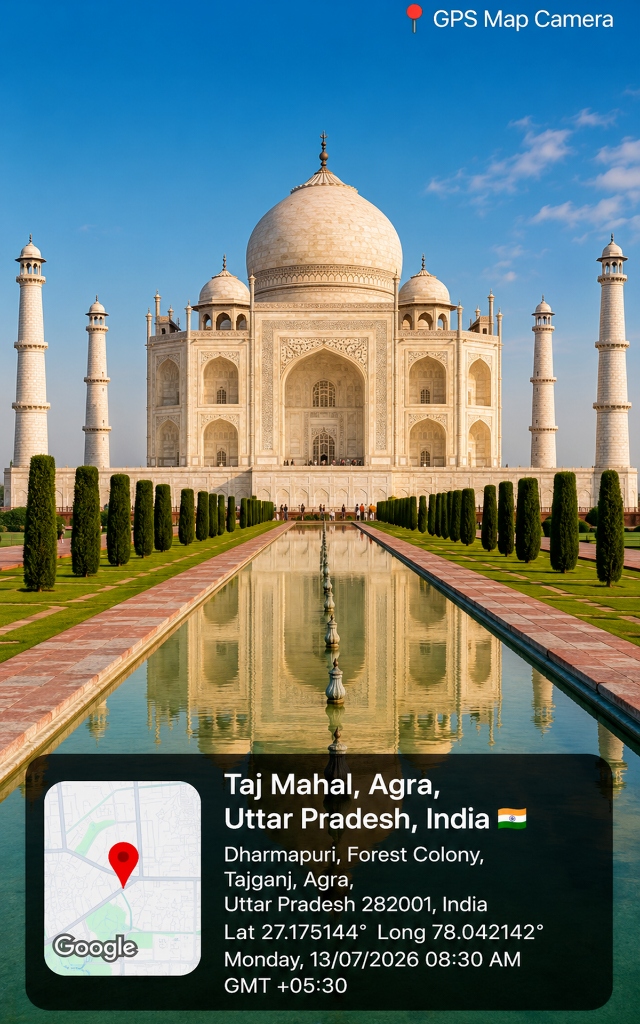
Whether you are documenting construction progress logs, appraising real estate properties, or capturing vacation travel memories at the Taj Mahal, customizing your GPS stamp photo typography, date format, and timezone is crucial for professional reporting.
In this guide, we address the two most frequent user questions: how to change date and time in GPS Map Camera and which font is used in GPS Map Camera.
How to Change Date and Time in GPS Map Camera
By default, GPS Stamp Camara automatically synchronizes with network and location time settings to ensure consistent timestamp formatting. However, you can easily change date/time formats, timezones, or manually adjust display settings:
- Open the GPS Map Camera application dashboard.
- Tap on the Date & Time setting icon.
- Select Date Format: Choose your preferred display style:
DD/MM/YYYY(Standard international format, e.g., 13/07/2026)YYYY-MM-DD(ISO Standard for engineering audits)Day, DD Month YYYY(Full descriptive format, e.g., Monday, 13 July 2026)
- Timezone Offset: Toggle GMT/UTC timestamp offsets (e.g.,
GMT +05:30for India orGMT +04:00for UAE). - 12-Hour vs 24-Hour Format: Switch between 12-hour AM/PM and military 24-hour timestamp styles.
Which Font is Used in GPS Map Camera?
A common question among photographers and document auditors is: which font is used in GPS Map Camera stamp overlays?
GPS Map Camera utilizes modern, high-legibility Google Sans typography fonts to guarantee maximum clarity across all photo backgrounds:
- Roboto Bold / SemiBold: Used for primary location titles, country names, and city headers (e.g., Taj Mahal, Agra, Uttar Pradesh, India 🇮🇳).
- Inter / Roboto Regular: Used for exact street address text and latitude/longitude decimal degree lines (e.g.,
Lat 27.175144° Long 78.042142°). - Monospace (Consolas / Courier): Available as a template option for technical engineering stamps requiring fixed-pitch numbers.
Customizing Font Styles & Colors
Inside the app settings, you can customize the font color (White, Yellow, Neon Green, Black), font size, background card transparency, and font shadow to ensure contrast over light or dark camera scenes.